
Risks tied to the actions they led to
A risk assessment written for the audit ends up in a spreadsheet, and the action it led to is recorded somewhere else. In VisualQMS the assessment stays linked to the CAPAs, changes and documents it concerns.
- Your own method
- Linked to the CAPAs and changes
- Kept with the quality work
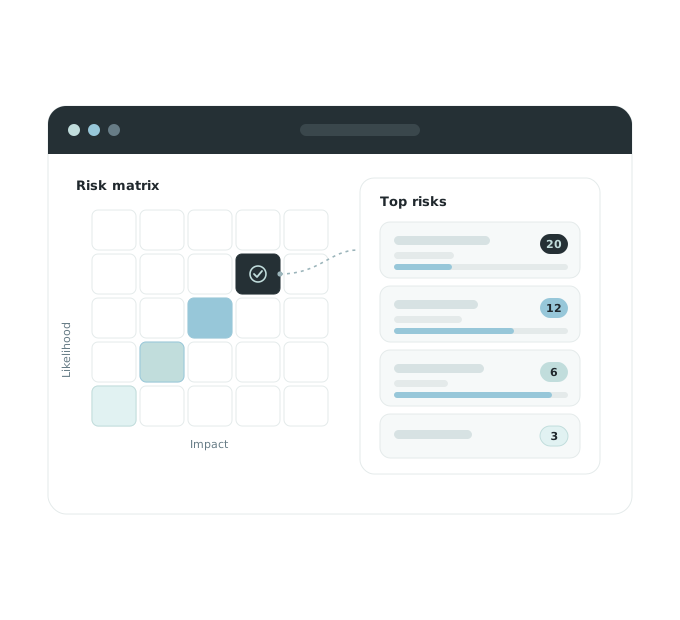
Risks you can find again after the audit
Assessments kept with the quality work
Risk assessments and risk analyses are records in VisualQMS, beside the documents and actions they belong with.
Follows the way you assess risk
The risk module is pre-configured, and set up for your organisation during implementation. It can be configured further or from scratch to match your method.
CAPAs and changes point back to it
Link a risk to the CAPAs, change requests, non conformances and documents it concerns.
A risk assessment that leads somewhere
Everything that follows a risk assessment keeps its link back to it.
-
Assess the risk
The risk assessment or risk analysis is recorded.
-
Decide what to do
A CAPA or a change request refers to the risk behind it.
-
Update the procedure
The new version of the controlled document goes through review and approval before it is published.
-
The risk shows what was done about it
The risk assessment keeps its links to the CAPA or change request it led to and to the revised procedure.
Fix it with a CAPA, or change the procedure
When a risk needs corrective action, a CAPA can reference it. When reducing it means changing a procedure, a change request can be required before the controlled document is edited.
You can also start small and add Risk Management later, once document control and the process maps are in place.
Questions about risk management
Is Risk Management part of the core?
No. Risk Assessments and Risk Analyses is one of the add-on modules. You can implement a full quality management system at once, including modules such as Risk Management, or start with a smaller scope and add modules as you go along.
Can we keep our existing risk scoring method?
The modules are pre-configured, and set up for your organisation during implementation. They can also be configured further, or from scratch, so the workflow follows the method you use.
How does Risk Management connect to CAPA and change requests?
Risk Assessments, CAPA and Change Requests are add-on modules, and all add-on modules are fully cross-referenced to the other modules, so you can see which CAPA or change came out of which risk.
Who can change a risk record?
What each person sees and can do is based on their role and access rights, and workflows can change permissions as a record moves between states.
How do we get an overview of open risks?
Risk records carry fields you can filter and sort by, and views built on them show what is in progress. Scheduling, reminders and notifications keep the work on time.
Link a risk to the work it affects
Internal Audit Management
Know where every audit stands, with reminders for the people involved and observations tied to CAPA.
See Internal Audit ManagementIssue Management
Record an issue or a customer complaint, decide how each kind is handled, and keep it tied to the CAPA it leads to.
See Issue ManagementCAPA Management
Corrective and preventive actions with a person responsible and a deadline, linked to the finding that started them.
See CAPA ManagementTraining Management
See who has read the new procedure. Assign training by role, department or any other employee detail, and the manager hears when it is overdue.
See Training ManagementChange Management
Change requests that say what changes and why, approved before a controlled document is edited.
See Change ManagementDeviation Management
Deviations handled the same way each time, and linked to CAPA.
See Deviation ManagementNon Conformance Management
Non conformances recorded in their own module, taken from registration to review and approval, and linked to the CAPAs that fix them.
See Non Conformance Management